
Choosing an app
Best voice journaling apps for Android (2026)
An honest 2026 comparison of voice diary apps for Android: transcription, audio privacy, summaries and price for each audio journal app, ours included.
In this guide
What is the best voice journal app for Android?
It depends on what you want the voice for. For a daily diary you speak into and reread as text, Dearly, which we make, is built for that. To turn rambling into clean writing, AudioPen. For free on-device transcription on a Pixel, Google Recorder. If voice is a side format in a text journal, Day One.
How did we compare them?
We make Dearly, one of the apps below. To keep this useful we compare on verifiable facts (pricing, platform, where transcription happens) and we tell you when a competitor is the better pick.
We evaluated each app across five criteria:
- Transcription approach: on-device, cloud, or hybrid, and what that means for speed and accuracy
- Audio privacy: whether raw audio is uploaded to a server, and for how long
- AI and insights: mood analysis, reflection prompts, pattern detection, summaries
- Android experience: whether the app is native Android, a web wrapper, or effectively iOS-first
- Price: as of October 2026, and what you get on the free tier before paying
We included apps that are real, actively maintained as of 2026, and genuinely relevant to someone who wants to journal by speaking on an Android phone. We excluded apps that are primarily meeting-transcription tools dressed up as journals.
Day One
Day One is the most established journaling app in this category: it’s been around since 2011 and is still actively updated. Its core strength is multi-format journaling: text, photos, audio, video, and drawings all live in the same entry. Audio recordings can be attached to any entry, but Day One does not transcribe them: audio is a media attachment, not a first-class voice journal format.
If you want a hybrid journal where voice complements text rather than replacing it, Day One is hard to beat on polish and cross-platform sync. Its encryption and backup story is strong: all entries are end-to-end encrypted, and sync works across iOS, Android, and Mac.
Strengths
- End-to-end encrypted entries sync across iOS, Android, and Mac seamlessly
- Gold tier ($74.99/yr) includes AI features: entry summaries, title suggestions, multi-entry analysis
- Free tier includes unlimited text entries, daily prompts, and E2EE, genuinely usable without paying
Trade-offs
- Audio recordings are not transcribed: you can’t search or reread a voice entry as text
- At $74.99/yr for AI features, it’s the most expensive option in this comparison
- Voice is a secondary format here; if you want to journal primarily by speaking, this isn’t built for that
Price as of October 2026: Free (unlimited text entries, no audio transcription); Silver $49.99/yr (sync + media attachments); Gold $74.99/yr (adds AI features)
AudioPen
AudioPen is not a diary. It is a thinking-out-loud tool that turns rambling voice notes into polished, structured text. You speak for up to 15 minutes, in any direction, about any topic, and AudioPen rewrites the output in a style you configure: concise summary, bullet list, email draft, blog section, whatever.
That makes it excellent for people who use voice recording as a thinking or drafting tool rather than a diary ritual. It is available on Android and iOS. Audio is deleted from servers shortly after processing. It is not retained for training. The free tier exists but is limited; Prime is a one-time payment rather than a subscription.
Strengths
- Rewrites unstructured speech into clean, styled output, uniquely good for thinkers and writers
- One-time payment model (no recurring subscription) with $99/yr or $159 for 2 years
- Audio is auto-deleted from servers after processing; data is not used for model training
Trade-offs
- Not a diary: no date indexing, mood tracking, or reflection features
- Cloud-based transcription: audio is uploaded for processing before deletion
- Free tier is significantly limited compared to Prime
Price as of October 2026: Free (limited); Prime $99/yr (one-time, no auto-renew) or $159 for 2 years
Voicenotes
Voicenotes is primarily a meeting-transcription and voice-note tool, but it functions well for personal journaling if you want something cross-platform. It supports Android, iOS, Mac, Windows, web, and Wear OS, the broadest cross-platform coverage in this list. Transcription supports 60+ languages. The AI layer lets you ask questions across your full note library, which is useful for people who accumulate a lot of entries and want to retrieve specific moments.
Whether raw audio is retained on servers is not explicitly stated in Voicenotes’ current public documentation: they describe privacy protections and SOC 2 Type II compliance but do not make a specific claim about audio deletion timelines.
Strengths
- Strongest cross-platform coverage: Android, iOS, Mac, Windows, web, Wear OS
- Ask AI queries across your full note history, useful for retrieval and pattern-finding
- SOC 2 Type II certified and GDPR compliant
Trade-offs
- Pro plan ($9/mo) is required for unlimited transcription. The free tier is capped at 100 minutes of transcription a week, with a 30-day history
- Raw audio retention policy is not explicitly stated in public docs
- Designed as a general voice-note and meeting tool, not specifically as a diary
Price as of October 2026: Free (100 transcription minutes/week, 30-day history); Pro $9/mo
Google Recorder
Google Recorder is a free, Pixel-exclusive app that does one thing extremely well: real-time, on-device transcription. You speak, and the transcript appears live on screen: no cloud upload, no connection required. It’s among the most accurate and fastest transcription experiences available on any Android device, because Google’s on-device speech models are exceptional.
The trade-off is that it is not a journal. There is no date-indexed entry format, no prompts, no mood tracking, no AI insights, no biometric lock, and no privacy layer beyond what’s on your phone. It’s a searchable voice recorder. The journal structure is up to you to impose elsewhere. It is also only available on Pixel devices, which makes it a non-option for most Android users.
Strengths
- Fully on-device transcription: audio never leaves your Pixel
- Real-time transcript appears as you speak; recording is searchable immediately
- Free, no subscription, no account required
Trade-offs
- Pixel-only: not available on Samsung, OnePlus, or any non-Pixel Android device
- No journal structure: no entries, no dates index, no mood tracking, no lock
- Not a diary app; requires manual organization in another tool
Price as of October 2026: Free, Pixel devices only
Dearly, a voice journal app for Android by BroooApps
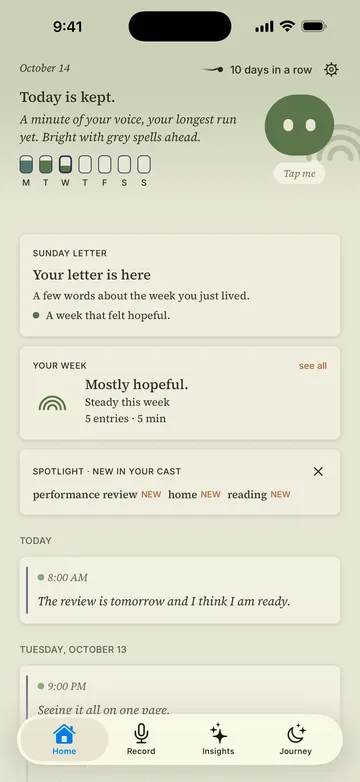
Dearly is built for one thing: a private, paper-feeling daily voice diary on Android. You open the app, record an entry, and get a transcript back in a few seconds. Entries are indexed by date, locked behind biometrics, and your recordings live on your device. Audio travels over an encrypted connection only to be transcribed, and is never stored. Only the transcription text syncs to Dearly’s servers.
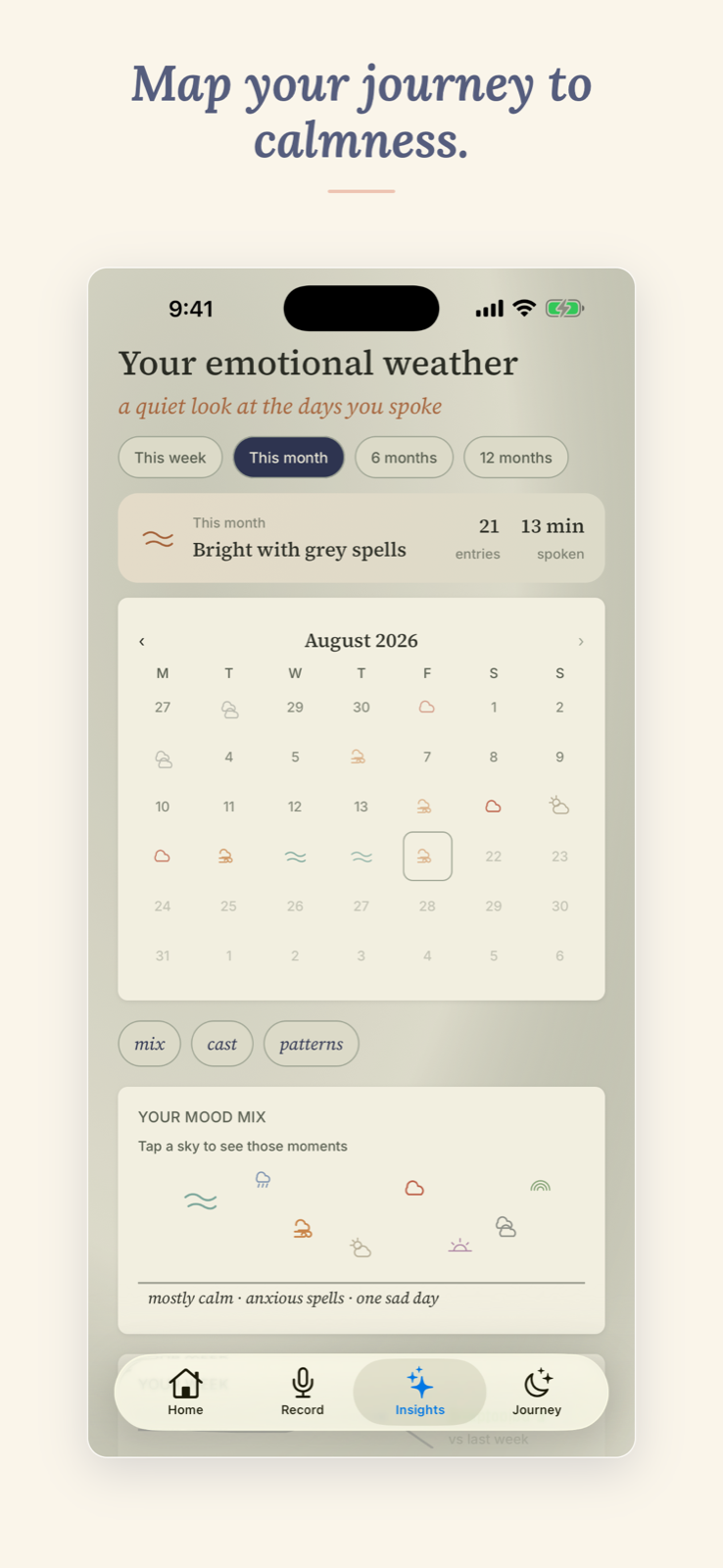
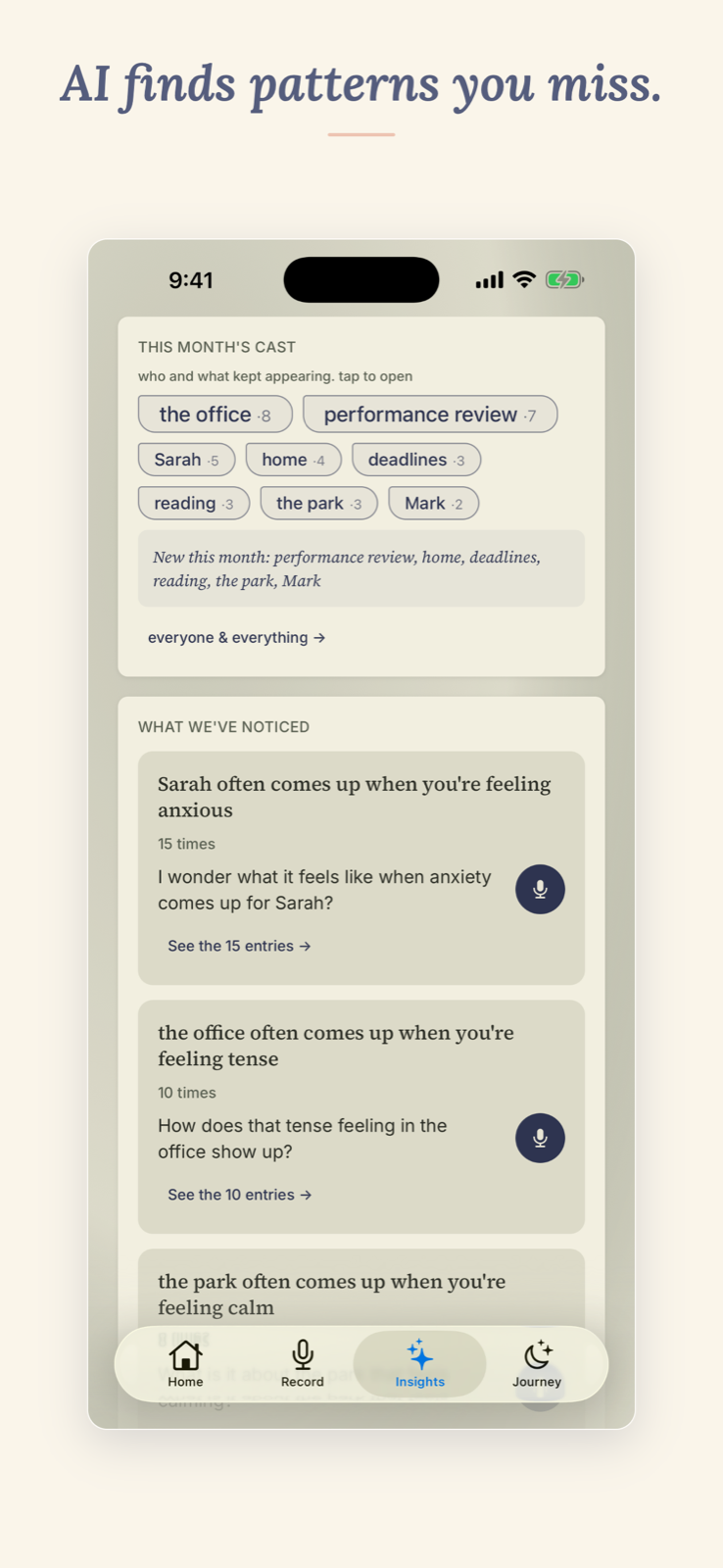
The free plan covers daily journaling comfortably: unlimited recordings and 10 transcriptions per day. Dearly Pro adds the mood horizon, your cast (the people who keep coming up in your entries), patterns and reflection questions, plus export. The aesthetic is deliberately paper and serif: it feels like a journal, not a productivity tool.
Strengths
- Recordings stay on your device; audio travels over an encrypted connection only to be transcribed, then discarded. Only the transcription text syncs
- Free tier: unlimited recording + 10 transcriptions/day, enough for a daily habit without paying
- Biometric lock; paper/serif aesthetic designed specifically for daily diary use
- On Android and iPhone, with one account syncing your journal between them
Trade-offs
- Cloud transcription requires an internet connection: offline-only use isn’t supported
- The mood horizon, cast, patterns and reflections are Pro only
- No Mac, Windows or web app yet
Price as of October 2026: Free (unlimited recording, 10 transcriptions/day, biometric lock); Pro $9.99/yr (about $0.83/mo), $1.99/mo, or $29.99 once, with every Pro feature free for the first 15 days
How do the five apps compare side by side?
Platform, where transcription happens, whether raw audio is uploaded, summaries and price, as checked in October 2026.
| App | Platforms | Where transcription happens | Raw audio uploaded? | AI insights | Price (as of October 2026) |
|---|---|---|---|---|---|
| Day One | iOS, Android, Mac | Cloud (audio not transcribed) | Not applicable (no transcription) | Gold tier only | Free; Silver $49.99/yr; Gold $74.99/yr |
| AudioPen | Android, iOS, web | Cloud | Yes, auto-deleted after processing | No (rewriting, not journaling) | Free (limited); Prime $99/yr one-time |
| Voicenotes | Android, iOS, Mac, Windows, web, Wear OS | Cloud | Not stated | Yes (Pro) | Free (limited); Pro $9/mo |
| Google Recorder | Android (Pixel only) | On-device | No | No | Free |
| Dearly | Android, iPhone | Cloud (encrypted; audio stays on device) | No | Yes (Pro) | Free; Pro $9.99/yr, $1.99/mo or $29.99 once |
Which voice journal app should you pick?
If you’re on iPhone: Dearly is on the App Store now, with the same free tier and the same account syncing to Android. Day One is the most polished cross-platform journaling app and includes audio attachments on its paid tiers. AudioPen is excellent if you want to think out loud and turn recordings into polished writing.
If you want sync across Android, iPhone, Mac, and Windows: Voicenotes has the broadest platform coverage. Day One is close behind and has a stronger journaling-specific design. Dearly runs on Android and iPhone, but there is no Mac or Windows app yet.
If you want a thinking-out-loud dictation tool rather than a diary: AudioPen is the right answer. It’s not trying to be a diary and doesn’t pretend to be. It turns unstructured voice into clean written output, which is a genuinely different use case from reflective journaling.
If you own a Pixel and want the sharpest on-device transcription, for free: Google Recorder is unmatched on accuracy and speed, with no data leaving your device. You’ll need to build your own journaling structure around it, but the transcription foundation is excellent.
If you want cross-device journal sync and AI features and don’t mind paying: Day One Gold at $74.99/yr is the most feature-complete option. Just note that voice is a secondary format there; it stores audio but doesn’t transcribe it.
If you want a private, paper-feeling daily voice diary on Android: Dearly is built for this. Recordings stay on your device, the free tier covers daily journaling, and the app is designed to feel like a journal rather than a productivity tool. If you are still deciding between speaking and writing, voice journal vs written journal compares the two, and what happens to your voice in an AI journal app covers the privacy side. Coming from an iPhone? Apple Journal for Android covers what to use instead, and 12 journal app privacy policies, compared shows what each app’s policy says.